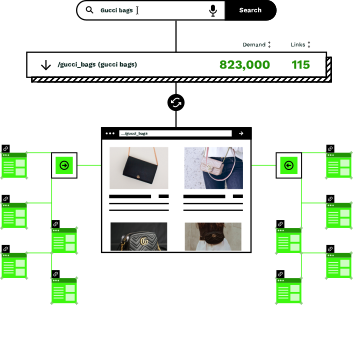
Your site has natural clusters; your linking should too
Most sites organize content into logical sections: /blog/, /products/, /locations/, /services/. But traditional linking tools don't understand these boundaries. You end up with blog posts linking to unrelated blog posts, or product pages linking to content that confuses customers.

Generic linking ignores structure
Your site architecture has purpose: blog content informs, product pages convert, location pages serve local customers. Linking that ignores these boundaries creates a confusing experience for users and search engines alike.

Manual rules don't scale
You could manually configure linking rules in your CMS, but maintaining them becomes impossible as your site grows. One new section means updating dozens of rules (and hoping nothing breaks).

Cross-linking drives conversions
The most valuable links often cross cluster boundaries: buying guides linking to product categories, location pages linking to service pages. But getting this right requires understanding both structure and intent.
Define clusters, let the agent do the linking
You tell Similar AI which page groups should link to each other. The Linking Agent handles everything else: finding the best pages to connect, placing links in context, and updating connections as your site changes.
Define your page clusters
Use URL patterns to group your pages: "/blog/" for content, "/products/" for categories, "/locations/" for local pages. Similar AI understands wildcards and complex patterns, so you can be as broad or specific as you need.
Set linking rules between clusters
Configure which clusters should link to each other. Blog posts link to product categories. Location pages link to service pages. Job listings only link to other job listings. You control the "from" and "to"; the agent handles the specifics.
The agent finds the best connections
Within your rules, the agent uses topical relevance to find the strongest connections. A blog post about kitchen renovation will link to your kitchen appliances category, not just any random product page that matches the rule.
Links update as your site grows
Add a new product category? It gets links from relevant blog posts automatically. Launch a new location page? It connects to appropriate service pages. The rules you define once continue working as your site expands.
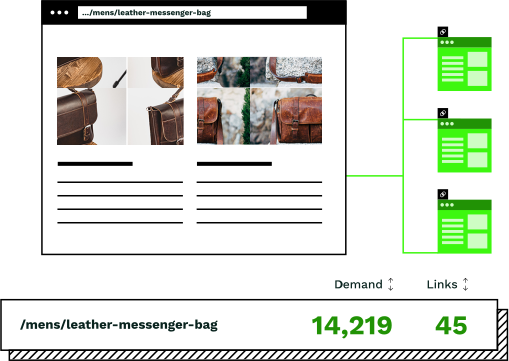
Linking strategies that match how your site works
Different page types serve different purposes. Cluster linking lets you create the exact connections that make sense for your business.

Blog posts → Product categories
Your content attracts search traffic; your product pages convert it. Link from /blog/ pages to /products/ categories based on topic relevance. A post about "how to choose pendant lights" links to your pendant light category automatically.

Location pages → Service pages
Local landing pages should connect customers to what you offer in their area. Link from /locations/seattle/ to /services/ pages, ensuring Seattle visitors see Seattle-relevant services. Use the "nearby" logic for geographic precision.

PDPs → Category pages
Product detail pages often have strong SEO authority from backlinks and engagement. Channel that authority to category pages that need more visibility. The agent identifies which categories will benefit most.
Keep clusters isolated
Sometimes pages should only link within their own section. Job listings link to other job listings. Blog posts in one language link to blog posts in the same language. The agent respects boundaries you set.
Flexible patterns for any site structure
Similar AI understands URL patterns beyond simple folder matching. Combine contains, not contains, and wildcards to define exactly which pages should link to which.
Link from: url contains /blog/
Link to: url contains /products/
Link from: url contains /vacatures/
Link to: url contains /vacatures/
Link from: url not contains /blog/ AND url not contains /contact/
Link to: url not contains /blog/ AND url not contains /about/
Rules can be as simple or complex as your site requires. The same rules work regardless of site size.
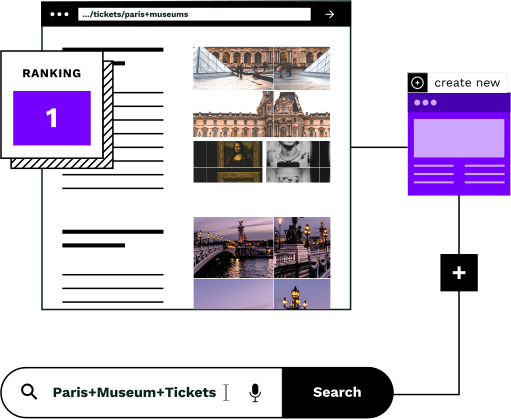
Random linking vs strategic cluster linking
Most internal linking tools connect pages without understanding your site's purpose. Cluster linking gives you control over which sections connect to which.
Without cluster rules
- ×Blog posts link to random blog posts regardless of topic relevance
- ×Product pages link to content that confuses buying intent
- ×Location pages link to irrelevant locations across the country
- ×Job listings link to unrelated career pages or blog content
- ×Every link added manually or left to chance
With cluster linking
- Blog posts link to product categories based on topic match
- Product pages connect to supporting content that aids conversion
- Location pages link to geographically relevant services
- Job listings stay within the careers section of your site
- Rules defined once, applied by the Linking Agent across your entire site
Define rules once, the agent handles the rest
Your cluster rules work regardless of how your site grows. For most sites, the initial linking graph builds in minutes. After that, incremental updates happen automatically as pages are added or changed.
You define the rules once and the Linking Agent handles execution. No manual link placement, no spreadsheets, no tedious updates every time your site changes.
Clients like eBay Kleinanzeigen and Lyst have used cluster linking to improve relevance and achieve measurable ranking growth within weeks of implementation.
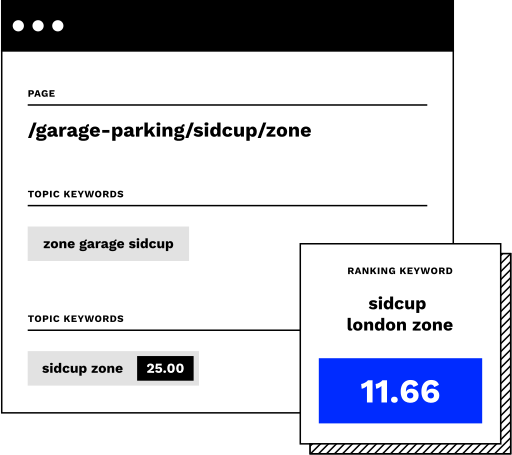
One linking strategy of many
Cluster linking is one of several internal linking strategies available in Similar AI. Combine it with topical linking for AI-driven relevance matching, nearby linking for geographic connections, or popular linking to boost your highest-traffic pages.
Each strategy serves a different purpose. Cluster linking gives you structural control; topical linking adds AI-driven relevance; nearby linking handles geography; popular linking distributes authority. Use them together for a comprehensive internal linking approach.
The Linking Agent works alongside the New Pages Agent, which builds pages that get connected automatically.
“Similar.ai internal linking increased relevance so that we were able to prove that users were able to find what they were looking for more easily, with statistical significance.”
Kabeer Badi Singh
SEO Lead, eBay Kleinanzeigen
Frequently asked questions
What URL patterns can I use to define clusters?
Similar AI supports contains, not contains, starts with, and wildcard patterns. You can combine multiple conditions with AND logic: "url contains /blog/ AND url contains /category/" would match only blog posts within a specific category subfolder.
How many links does the agent add per page?
You configure the link count per cluster rule (typically between 5 and 12 links). The agent selects the most relevant pages within your defined clusters, prioritizing topical match over random selection.
How long does it take to process a site?
Most sites process in minutes. Larger sites typically take 30 minutes to an hour for the initial build. Once the linking graph is built, incremental updates happen much faster as pages are added or changed.
Can I combine cluster linking with other linking strategies?
Yes. Cluster linking works alongside related searches (topical), nearby linking (geographic), and popular linking (authority-based). You can layer multiple strategies on the same site, each serving a different purpose.
What if my URL structure is complex or inconsistent?
The pattern matching is flexible enough to handle non-standard structures. You can use multiple contains and not contains rules to isolate exactly the pages you want. If your structure is particularly complex, the Similar AI team can help configure optimal rules during onboarding.
Can I preview links before they go live?
Yes. After building the linking graph, you can view the proposed links for any page before publishing. The "View Opportunity" feature shows exactly which connections will be made, allowing you to verify the results match your expectations.
Connect your site the way it's meant to be connected
Book a demo to see how cluster linking creates strategic internal links based on your site's natural structure.