
For business leaders
Curious about the revenue you're missing from organic search?
See how Similar AI turns search data into user-centric similar content and profitable growth (no API knowledge required).
Why the Google Search Console API matters (and why it fails for large sites)
Google Search Console is one of the most valuable first-party sources for understanding how Google sees your site. The Google API console gives you access to queries, clicks, impressions, and ranking data that no third-party tool can replicate. The web UI works fine for small sites, but for enterprise SEO, you need the Search Console API: to automate reporting, integrate with analytics systems, and build custom SEO data API pipelines.
The problem? The GSC API has a hard limit: 50,000 page-keyword pairs per property per day. The web UI is even worse, capping exports at just 1,000 rows. This is a critical Google API limit that affects every enterprise site.
For large e-commerce sites with hundreds of thousands of pages, this means you're making decisions based on a fraction of your actual search performance data. Understanding how to use Google Search Console for keyword research requires knowing these constraints.
Measuring the Google sampling gap
The data sampling problem is the difference between GSC clicks and impressions from keyword-page pairs retrieved via the API versus site-level totals. Our research across multiple enterprise sites revealed the scale of the problem.
Impressions missed
Large sites lose approximately two-thirds of their impression data to API sampling limits, making it impossible to access anonymized search data in GSC.
Keywords invisible
Product-led SEO teams miss approximately 90% of their keyword data when relying on standard GSC API access, far exceeding any search console keywords limit you might expect.
Daily row limit
The hard API quota: 50,000 page-keyword pairs per GSC property per day, regardless of your site size. This is the core Google API limit that drives sampling.
Product SEO sites with deep category hierarchies can be hit hardest by the 50K limit, with some directory sections potentially showing zero data because all 50K rows are consumed by higher-traffic pages, making it critical to access more hidden GSC data.
What missing data means for SEO
Incomplete GSC data doesn't just mean inaccurate reports. It undermines every data-driven SEO initiative, from Google rank tracking to keyword research via the API.
A/B testing fails
When you can't see the full impact of changes, experiments show inconclusive results. You might abandon winning strategies or scale losing ones.
ROI calculations are wrong
If you're only seeing a fraction of your traffic, you're undervaluing SEO investment. Any API for Google keyword rankings gives you incomplete data without proper workarounds.
Long-tail opportunities hidden
The keywords you're missing are often long-tail queries that may include high purchase intent terms. Some of these can be worth optimizing for, and a Google ranking API alone won't surface them.
Category gaps go unnoticed
Deep product categories may show zero data, making it impossible to identify which sections need attention or have growth potential. A Google keyword position checker API can't help if the data isn't there.
Solution 1: Multiple GSC properties
The most effective workaround for the 50K limit is creating multiple GSC properties, each covering a different section of your site. Since each property has its own 50K daily quota, you multiply your data access through the Search Console API.
In our testing, adding 50 GSC properties (segmented by directory path) reduced impression loss from 67% to just 11%, and increased keyword capture by 13.7x. This is the most reliable way to access more hidden GSC data for Google rank tracking purposes.
How to segment
- Create properties for major category paths:
/electronics/,/clothing/ - Add sub-directory properties for high-volume sections
- Verify each property in the Google API console
- Query each property separately via the GSC API and merge results
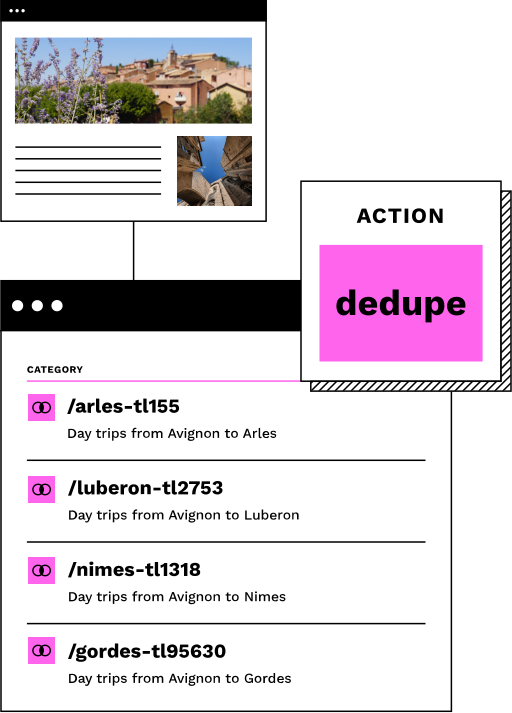
The trade-off: setup complexity and maintenance overhead. You'll need scripts to manage verification, query multiple properties, and deduplicate results.
Solution 2: Google Search Console to BigQuery export
Google offers a bulk data export feature that sends GSC data directly to BigQuery. This bypasses the API's row limits entirely, giving you a complete Google Search Console export of your data.
How it works
In Search Console settings, you can enable “Bulk data export” to a Google Cloud BigQuery dataset. Data is exported daily with historical backfill available. This is the most complete way to get Google Analytics API keyword data alongside GSC metrics.
What you get
All your query data, not just the top 50K rows. Query-level detail including clicks, impressions, position, and CTR. Page-level breakdowns. Country and device segmentation. This is the gold standard for any SEO data API pipeline.
Limitations
Requires a Google Cloud account. Data exports have a 2-3 day delay. Privacy filtering still removes low-volume queries. Storage and query costs apply.
Sample BigQuery SQL
SELECT
  query,
  page,
  SUM(clicks) as total_clicks,
  SUM(impressions) as impressions,
  AVG(position) as avg_position
FROM
  `project.searchconsole.searchdata`
WHERE
  data_date >= DATE_SUB(CURRENT_DATE(), INTERVAL 28 DAY)
GROUP BY
  query, page
ORDER BY
  impressions DESC
LIMIT 100000
Query up to 100,000 rows or more; no API limits apply when using the Google Search Console to BigQuery pipeline.
Solution 3: AI-powered GSC access via MCP
The Model Context Protocol (MCP) is transforming how SEO teams interact with Google Search Console API data, using AI assistants instead of dashboards and scripts.
What is MCP?
MCP is an open protocol created by Anthropic that enables AI assistants to connect to external data sources. Think of it as a standardized way for AI tools to access your business systems, including the GSC API.
For Google Search Console, this means you can ask Claude or other AI assistants questions like “show me declining keywords this month” and get immediate analysis, without exporting CSVs or switching tools.
Available MCP servers
- mcp-server-gsc: Up to 25K rows per request, ROI calculations, regex filtering
- mcp-gsc: 19 tools including batch URL inspection and data visualization
- Google's official servers: Official MCP support announced December 2025
What MCP doesn't fix
MCP servers still hit the underlying Google Search Console API, so the 50K daily limit applies. However, they make strategic querying easier: you can ask for specific segments, apply filters intelligently, and avoid wasting rows on data you don't need. Some servers support up to 25K rows per request (vs. the default 1K), maximizing what you get from each query.
Using the GSC API as a Google rank tracking API
Many teams use the Google Search Console API as a free Google ranking API to monitor keyword positions over time. Unlike paid rank tracker APIs, the GSC API provides actual impression and click data directly from Google, making it the most authoritative API for Google keyword rankings.
To build a Google rank checker API workflow, query the Search Console API daily for your target keywords, store position data in a database, and track changes over time. The API returns average position for each query-page pair, which serves as your Google SERP position data.
For teams that need a dedicated API for Google rankings, combining the GSC API with the BigQuery export approach gives you both real-time and historical ranking data without the sampling limitations.
The key advantage of using GSC as your Google rank tracker API: the position data comes directly from Google, not from simulated searches that may not match real user results.
Beyond keywords: topic-centric SEO
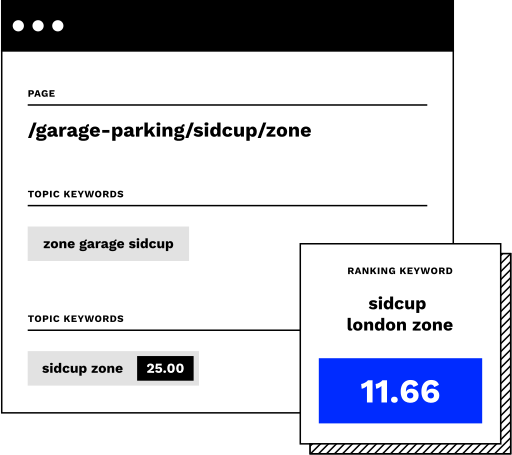
The sampling gap forces a strategic question: do you really need every keyword, or do you need to understand topics?
With 13.7x more keywords captured using comprehensive data access, you have enough signal for machine learning. LLMs can perform Named Entity Recognition on your keyword data, clustering thousands of queries into topicsthough results typically benefit from manual review to ensure accuracy.
This shifts SEO from chasing individual keywords to understanding user intent across your entire catalog. Instead of optimizing for “blue velvet sofa under 2000” as a single keyword, you optimize for the topic cluster around “budget velvet sofas”, capturing variations you'd never find manually.
For many teams, topic-centric analysis can be more actionable than exhaustive keyword tracking, and it's achievable even with data sampling gaps in your GSC API output.
Which solution is right for you?
Each approach has trade-offs. Here's how to choose the right Google Search Console API strategy based on your situation.
Multiple properties
Best for
Large sites with clear directory structures. Teams with engineering capacity. When you need maximum keyword coverage from the GSC API.
Watch out for
Setup complexity. Ongoing maintenance. Need for deduplication scripts.
Impact
67% → 11% data loss. 13.7x keyword increase.
BigQuery export
Best for
Teams already using Google Cloud. Historical analysis. Joining GSC data with other datasets for a complete SEO data API pipeline.
Watch out for
2-3 day data delay. Storage costs. Privacy filtering still applies.
Impact
No row limits. Full historical data. SQL flexibility.
MCP integration
Best for
Quick analysis without dashboards. Natural language queries. Teams adopting AI assistants for Google Search Console API workflows.
Watch out for
Still subject to 50K limit. Requires AI assistant setup. Early-stage ecosystem.
Impact
89% faster analysis. Conversational data access. Up to 25K rows per request.
Google Search Console API documentation: key endpoints
The Google Search Console API documentation covers several key endpoints that SEO teams should understand. The searchAnalytics.query endpoint is the most important for retrieving keyword and page performance data. Here are the essential API endpoints and their uses:
searchAnalytics.query
The core endpoint for retrieving clicks, impressions, CTR, and position data. Supports filtering by query, page, country, device, and date range. Subject to the 50K row limit per request.
sitemaps.list / sitemaps.get
List and inspect sitemaps submitted to your GSC property. Useful for monitoring indexation status and identifying crawl issues.
urlInspection.index.inspect
Inspect individual URLs for indexing status, last crawl date, and any issues. Essential for debugging pages that aren't appearing in search results.
For the full Google Search Console API documentation, visit Google's official developer reference. Understanding these endpoints is critical for building any API for Google SERP position tracking or analytics SEO API integration.
How Similar AI uses GSC data
For internal linking, the Similar AI's Linking Agent uses GSC data alongside SERP similarity, crawl data, and revenue/conversion signals to identify high-value pages in positions 4-15 where additional internal link equity can push them into top results, boosting them with strategic internal links.
Frequently asked questions
What are clicks in GSC?
In Google Search Console, clicks represent the number of times a user clicked through to your website from Google Search results. Clicks are one of the core metrics alongside impressions, CTR, and average position, and they serve as the primary indicator of organic traffic performance in your GSC reports.
What is the difference between GA4 sessions and GSC clicks?
GSC clicks count only the click-throughs from Google Search results to your site, while GA4 sessions measure broader periods of user activity from all traffic sources including direct, paid, social, and referral. The two numbers almost always differ because GA4 includes non-search traffic and applies its own session-scoping rules.
What are the Google Search Console API rate limits?
The Search Console API applies per-project quotas on requests per minute and per day. Large e-commerce sites with tens of thousands of URLs hit these limits quickly if every query fans out page-level data, so production integrations batch requests, cache responses, and restrict high-cost calls to the pages that need them. Similar AI's integration handles these limits for you.
How do I avoid hitting GSC API quota on a large catalog?
Pull aggregate data first, then drill down only for pages that justify the extra call. Cache responses for the same date range so a refresh doesn't re-query unchanged data. Where possible, use the bulk data export instead of per-URL calls. Teams that manage this manually often spend more time on quota handling than on the analysis itself.
How does Similar AI use the GSC API?
Similar AI reads click, impression, and position data via the Search Console API to decide which existing pages the Content Agent should optimize and which new pages the New Pages Agent should build. The integration handles auth, quota, and data freshness so your team sees actionable opportunities in the dashboard rather than raw API rows.
Related capabilities
How Similar AI helps you act on GSC insights.
See what's possible with better search insights
When you can identify what customers are actually searching for, the results speak for themselves.
Stop missing search demand. Start creating pages.
Similar AI connects to your Google Search Console API data to find the pages you're missing, then creates them with the content and internal links that drive results.