
For business leaders
Want to capture more product searches without the technical complexity?
See how retailers unlock hidden revenue from filter combinations automatically.
What is faceted navigation?
Faceted navigation lets users filter products by multiple attributes at once (color, size, brand, price range, material). It's essential for user experience on any e-commerce site with more than a few hundred products.
The problem? Each filter combination can generate a unique URL. A site with 10 filterable attributes, each with 10 options, could theoretically create over 10 billion unique URLs. Even a modest filter setup can produce hundreds of thousands of pages that Google tries to crawl.
Google's own documentation calls faceted navigation “the most common source of overcrawl issues.” In most cases, the problem could have been avoided by following best practices.
The trade-off every e-commerce site faces
Most teams end up at one extreme or the other. Neither approach captures the revenue opportunity.
Block everything
- ×Miss long-tail searches like “blue velvet sofas under £2000”
- ×Leave revenue on the table from high-intent queries
- ×Competitors with better filter pages outrank you
- ×No visibility in AI search tools that expand queries
Index everything
- ×Crawl budget wasted on redundant filter combinations
- ×Duplicate content dilutes ranking signals
- ×Internal link equity spread too thin
- ×Thin pages with no unique content indexed
The solution: only create pages where there's real user demand AND the page would be genuinely unique - unique intent, unique content, and unique product selection.
Two tests every page must pass
Before creating any category page from a facet combination, it needs to pass two tests.
Real user demand
People must actually search for this. Search volume is the simplest proxy - if nobody is looking for it, creating the page won't drive traffic.
Genuinely unique page
The page must be different from every other page on your site. That means unique intent, unique copy (H1, category description), and - crucially - a unique product selection.
That second test is the one most people miss. Product listings make up the bulk of a category page. Say you stock ten brown leather ankle-high hiking boots from the same brand. You could create pages for:
- • brown hiking boots
- • brown ankle-high hiking boots
- • brown boots
- • leather hiking boots
- • [brand] hiking boots
These are all different facet combinations, and each might have search volume. But they all show the same ten products. Even with a different H1 and description on each, the product listings - which are the bulk of the page - are identical. These are functionally duplicate pages.
This is an optimization problem: maximize the number of shoppers who see unique, relevant content, in the minimum number of pages. As soon as you create pages for every possible inventory combination, many will show the same products, and you make life hard for search engines - including the LLM-based search engines that are increasingly how people find products.
Practical checklist: when to index a filter combination
These tests help you apply the two principles above to specific filter combinations. If any fails, block or canonical the URL.
Search demand exists
Keyword research shows people actually search for this combination. 'Blue twin comforters' has volume; 'blue size-8 cotton blend t-shirts sorted by price' doesn't.
Unique user intent
The filtered page serves a meaningfully different need than its parent category. 'Women's running shoes' differs from 'shoes'; 'shoes sorted by newest' doesn't.
Sufficient products
The filter returns enough products to be useful (typically 10+). Empty or near-empty filter results should return 404s, not thin indexed pages.
Conversion potential
The query indicates purchase intent. 'Leather office chairs' signals buying mode; 'office chair reviews' might not.
Unique product selection
The products shown on this page are meaningfully different from other pages. If five facet combinations all return the same products, they're duplicate pages regardless of how different the H1s are - the product grid is the bulk of the content.
Stable over time
The page represents a durable category, not a temporary state. 'In stock items' changes constantly; 'women's winter boots' is stable.
How to handle each filter type
Different filters have different SEO value. Here's the general guidance; always validate with your own keyword data.
Often worth indexing
Brand + Category
“Nike running shoes”, “Herman Miller office chairs”
Material + Product type
“Leather sofas”, “Cotton bedding”
Specific size combinations
“Women's boots size 6”, “Twin comforter sets”
Style + Category
“Mid-century modern furniture”, “Minimalist desk lamps”
Color + high-demand product
“Blue velvet sofas”, “White kitchen cabinets”
Use case filters
“Outdoor dining furniture”, “Gaming monitors”
Block or noindex
Sort parameters
?sort=price-low, ?sort=newest: never create unique pages
Session/tracking IDs
?sessionid=abc123: creates infinite URL variations
Price range filters
?price=50-100: too dynamic, little search demand
Availability filters
?in_stock=true: temporary states that change constantly
3+ filter combinations
Too specific, too thin, rarely searched
Pagination with filters
?color=red&page=5: canonical to first page
Technical implementation strategies
There are several ways to control how search engines handle filtered URLs. Use the right tool for each scenario.
robots.txt blocking
Prevents crawling entirely. Best for parameters you never want indexed: sort orders, session IDs, 3+ filter combinations. Most efficient for preserving crawl budget.
Disallow: /*?sort=
Disallow: /*?sessionid=
Disallow: /*/filters/
Canonical tags
Consolidates ranking signals to a preferred URL. Use when filtered pages can be crawled but shouldn't rank independently. Point low-value filters to their parent category.
<!-- On /shoes?color=red -->
<link rel="canonical"
  href="https://example.com/shoes" />
noindex, follow
Allows crawling (for link equity) but prevents indexation. Use sparingly; it still consumes crawl budget. Over time, Google may reduce crawling of noindexed pages.
<meta name="robots"
  content="noindex, follow">
URL fragments (JavaScript filtering)
Content after # is ignored by search engines. Use for presentation-only filters that shouldn't create separate URLs at all.
/shoes#color=red&size=10
// Google only sees /shoes
Self-referencing canonicals
For high-value filter pages you want to rank. The page canonicals to itself, signaling it deserves independent indexation.
<!-- On /shoes/womens-running -->
<link rel="canonical"
  href="https://example.com/shoes/
    womens-running" />
404 for empty results
Google explicitly recommends returning 404 status codes when filter combinations produce no results. Don't redirect or serve soft 404s.
// If filter returns 0 products
return res.status(404)
URL structure best practices
How you structure filter URLs affects both crawlability and user experience.
Good practices
- Use consistent parameter ordering (alphabetical)
- Standard & separator for parameters
- Clean, readable paths for high-value filters (/shoes/womens-running)
- Normalize URLs server-side to prevent duplicates
- Use static paths for index-worthy filters
Avoid these mistakes
- ×Random parameter ordering creating duplicate URLs
- ×Non-standard separators (commas, semicolons, brackets)
- ×Infinite URL depth with no crawl limits
- ×Allowing /shoes?color=red and /shoes?clr=red for the same filter
- ×Encoding the same filter in multiple URL formats
The Wayfair model: tiered URL depth
Wayfair uses path-based filtering with clear depth limits: /sb1/twin-comforters (one filter, indexed), /sb2/blue-twin-comforters (two filters, indexed), /filters/blue-twin-cotton-comforters (three+ filters, blocked via robots.txt). This captures moderate-specificity queries without index bloat.
Filter pages need more than filtered products
A filtered page that just shows a subset of products is thin content. Google increasingly devalues pages that don't provide unique value beyond what the parent category offers.
For filter pages you want to rank, add content that helps users make decisions:
- Unique title and H1 that match the search query
- Descriptive copy explaining what makes this category special
- Buying guides or feature explanations
- FAQs addressing common questions about the filter type
- Related category links helping users refine or expand their search
This is where most teams get stuck. Creating unique content for thousands of filter combinations isn't feasible manually.
How Similar AI approaches this differently
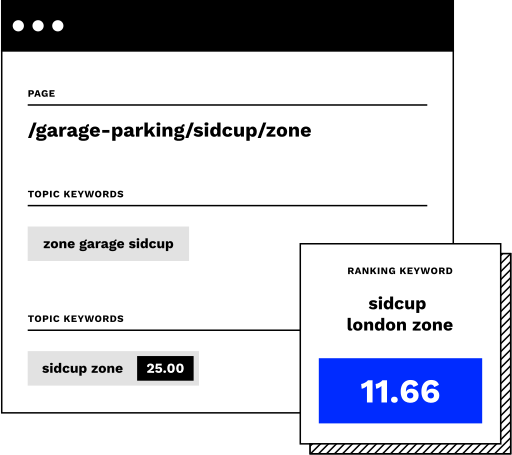
This is the problem Similar AI was built to solve. Identifying which facet combinations deserve their own page - balancing real search demand against product selection uniqueness - is a hard optimization problem. You want to maximize the shoppers who see relevant, unique content, in the minimum number of pages.
The Topic Sieve checks both criteria: it identifies which filter combinations have actual search demand, and which would produce a genuinely unique product set rather than duplicating an existing page. The New Pages Agent then builds dedicated category pages for those combinations, rather than trying to manage faceted navigation URLs.
Each page gets unique content - not just a product grid, but helpful copy, relevant links, and optimized metadata. The result is that you capture long-tail demand without the duplicate content and crawl budget problems of indexing every filter combination.
Common faceted navigation mistakes
These are the issues we see most often when auditing e-commerce sites.
Relying on rel="nofollow" to control crawling
Google treats nofollow as a hint, not a directive. If Google finds the URL another way, it may still crawl and index it. Use robots.txt for reliable blocking.
Canonical tags pointing to noindexed pages
This creates conflicting signals. Google doesn't know if you want the page indexed or not. If the canonical target is noindexed, the whole cluster may drop from the index.
Inconsistent URL parameter handling
If /shoes?color=red and /shoes?clr=red both exist for the same filter, you've created duplicate content. Normalize parameter names and ordering server-side.
Blocking everything and hoping for the best
You're leaving long-tail traffic on the table. Searches like 'pink New Balance 530' or 'Diesel Sleenker jeans' are popular because shoppers think in terms of brand, model, and color - but most stores lack structured data around product lines and models, so these pages never get created. Competitors who build them will outrank your blocked filter URLs.
Letting JavaScript render filtered URLs
If your client-side filtering generates URLs, search engines will try to crawl them. Use URL fragments (#) for JavaScript filters, or ensure AJAX filtering doesn't create new URLs.
Forgetting about internal linking
If you link to filtered URLs from your main navigation, you're signaling importance. Link only to canonical versions of high-value categories.
Frequently asked questions
What is faceted navigation?
Faceted navigation is a filtering system on e-commerce websites that lets shoppers narrow down product listings by selecting multiple attributes simultaneously, such as size, color, price range, or brand. Each combination of filters creates a unique URL, which helps users find exactly what they need but can create SEO challenges around duplicate or low-value pages. Managing these filtered URLs correctly is essential for maintaining strong search visibility.
How does faceted navigation work?
Faceted navigation dynamically generates filtered pages as shoppers select product attributes, updating the URL and page content to reflect that specific combination. For example, selecting 'red' and 'medium' on a clothing page might produce a URL like /shirts?color=red&size=medium. SEO tools can help determine which filtered combinations deserve indexable pages versus which should be noindexed or canonicalized.
How do you optimize faceted navigation for SEO?
Start by identifying which filter combinations reflect genuine search demand and deserve their own indexable pages, using keyword research to guide those decisions. Apply noindex tags or canonical URLs to low-value filter combinations that generate duplicate or thin content, and use robots.txt selectively to prevent crawlers from wasting budget on parameter-heavy URLs. Ensure that pages worth indexing have unique, descriptive title tags and on-page content so search engines understand their relevance to specific queries.
Related capabilities
How Similar AI helps e-commerce brands capture demand from filter-style searches.
What this looks like in practice
Visual Comfort, a premium lighting retailer, used Similar AI to capture demand from product searches they were missing.

“The Similar AI platform's ability to swiftly align with our changing site experience is invaluable. The extra analytical power and proactive insights provided by Similar AI have been essential for our lean team.”
Jennifer Skeen
VP of eCommerce, Visual Comfort
Stop managing faceted navigation. Start capturing demand.
Similar AI identifies the category pages your site is missing and creates them with the content and structure search engines reward.